CPT208 Process Portfolio

SuCity-Roam

SuCity-Roam is a human-centered PWA for cultural tourism in Suzhou. It combines AI guidance, deep cultural reading, route planning, panoramic exploration, and social travel support to help visitors move from simple sightseeing to immersive understanding and participation.

01 / Required Section

Motivation & Research

Why this topic matters, what current solutions miss, and who we are designing for.

The Why

Why We Chose This Topic

The main motivation of this project is to transform exploration of Suzhou's cultural spots from simple sightseeing into immersive understanding and participation. We want users to move beyond quick destination browsing and gain a deeper sense of place through cultural context, route support, and interactive exploration.

The project therefore aims to build a complete tourism platform with route planning and navigation, cultural context and background, panoramic roaming, and social travel support. In our intended experience, the spots in Suzhou are not only visible, but also explorable, understandable, recordable, and shareable.

Project Focus

Current Direction

  • Build a mobile-friendly Progressive Web App (PWA) for cultural tourism in Suzhou, starting with Pingjiang Road, so visitors can open it in a browser and use it like an app during real trips.
  • Extend coverage to gardens, museums, intangible cultural heritage sites, and surrounding attractions.
  • Combine route planning, cultural introductions, panoramic roaming, and immersive browsing.
  • Support AI guidance, multilingual use, collection building, and social travel functions.
  • Help users complete trips more efficiently while enjoying a stronger sense of engagement.

The Gap

Academic Research and Commercial Product Review

We reviewed four academic papers and four commercial products to map what the current cultural tourism landscape already does well and where it still falls short.

Academic Papers

Paper 1

Combining Cultural Heritage and Gaming Experiences for Gen Z

Yun, 2023

What It Does Well
  1. Identifies that site-based play can effectively enhance real-world exploration.
  2. Recognizes that Gen Z often feels alienated from outdoor experiences without social interaction.
  3. Emphasizes player autonomy instead of forcing visitors through rigid linear paths.
What It Misses
  1. Over-relies on physical AR, which is fragile in outdoor settings.
  2. Does not include real-time LLM support for personalized historical Q&A.
  3. Does not provide real-time location sharing for offline social connection.

Paper 2

Digital Game-Based Heritage Education

Camunas-Garcia et al., 2024

What It Does Well
  1. Shows that information capsules work well for delivering cultural background.
  2. Highlights the value of narrative-driven and people-centered design.
  3. Provides a strong theoretical framework for evaluating cognitive and emotional engagement.
What It Misses
  1. Most of the reviewed games still lack open-world exploration.
  2. The focus stays on virtual games rather than location-based services.
  3. User-generated content is not treated as a driver for ongoing engagement.

Paper 3

Personalized Navigation Based on Metacosmic Cultural Tourism and LLM

Guo et al., 2025

What It Does Well
  1. Integrates LLM and RAG for accurate cultural interpretation.
  2. Connects 3D architectural models with natural-language AI commands.
  3. Builds a strong multimodal interaction architecture.
What It Misses
  1. Stays focused on human-computer interaction rather than human-to-human social connection.
  2. Lacks a UGC loop where visitors can feed experiences back into the system.
  3. Remains in virtual space without real-world walking navigation.

Paper 4

Influence of UGC on Tourist Loyalty in Cultural Heritage Sites

Xu et al., 2023

What It Does Well
  1. Quantifies how UGC increases tourist satisfaction and revisit intention.
  2. Separates factual and emotional UGC, showing the stronger value of emotional content.
  3. Maps the influence of UGC across pre-trip, in-trip, and post-trip stages.
What It Misses
  1. Studies UGC on external social platforms instead of within a dedicated tour app.
  2. Does not trigger UGC creation from exact real-time geolocation.
  3. Does not use AI to summarize large-scale UGC for tourists on site.

Commercial Products

The Palace Museum official logo

Product 1

The Palace Museum Mini Program
Official Site

Official cultural mini program

What It Does Well
  1. Provides authoritative and highly detailed cultural resources.
  2. Uses visually polished static maps that match the cultural tone.
  3. Offers clear and curated official touring routes.
What It Misses
  1. Lacks multi-user social tracking for groups traveling together.
  2. Provides one-way audio guidance without interactive AI Q&A.
  3. Does not support map-based visitor UGC sharing.
AMap official icon

Product 2

AMap Group Navigation
Official Site

Real-time map and team navigation

What It Does Well
  1. Delivers accurate real-time location synchronization.
  2. Provides a strong group travel experience supported by mature routing algorithms.
  3. Maintains high stability and performance in live navigation.
What It Misses
  1. Offers no cultural immersion or 3D panorama scene support.
  2. Shows geography without historical or narrative context.
  3. Lacks conversational AI for sightseeing-related questions.
Xiaohongshu official icon

Product 3

Xiaohongshu (RED)
Official Site

Travel-oriented UGC social platform

What It Does Well
  1. Hosts a highly active and authentic travel UGC ecosystem.
  2. Builds strong emotional connection and interaction among users.
  3. Surfaces hidden and niche travel routes effectively.
What It Misses
  1. Content is fragmented and detached from a live navigation map.
  2. It does not provide immersive 3D or VR preview experiences.
  3. It lacks context-aware AI guidance tied to exact on-site coordinates.
Google Arts and Culture official icon

Product 4

Google Arts & Culture
Official Site

Digital heritage and immersive exhibition platform

What It Does Well
  1. Offers world-class 3D and panoramic online tours.
  2. Excels at high-definition artifact digitization and visual detail.
  3. Includes multiple gamified educational micro-interactions.
What It Misses
  1. Still works mostly as a single-player experience with weak social loops.
  2. Does not connect to real-world on-site navigation.
  3. Does not let user photos or other physical UGC feed back into a shared map context.

Summary of the Gap

Current solutions are still siloed: map apps support movement but not cultural depth, museum apps provide authoritative content but not social coordination, and social platforms surface authentic stories without immersive or context-aware guidance.

  • Navigation tools are strong at routing, but weak at storytelling and cultural interpretation.
  • Cultural apps are rich in content, but often lack real-time teamwork, UGC loops, and AI interaction.
  • Social platforms capture authentic travel emotion, but do not organize it around live maps or on-site decision-making.
  • Immersive virtual platforms show places beautifully, but rarely bridge back to physical visits.

In this portfolio, SuCity-Roam is positioned to bridge those disconnected strengths by combining AI guidance, immersive exploration, cultural interpretation, and real-life social travel support in one experience.

The Stakeholders

Primary Users, Secondary Users, and Personas

The current persona content has been preserved and repositioned here.

Primary Users

Young and first-time leisure visitors

Visitors who want a photogenic, local, and well-paced walking route without spending too much time on planning.

Secondary Users

Short-stay and international visitors

Visitors with limited time, less familiarity with local apps, or a need for simpler bilingual guidance.

Primary Persona

Zoe Chen

21 | University Student | Weekend Visitor

Background

Zoe studies in Nanjing and visits Suzhou with two friends during a weekend trip. She wants an experience that feels local, photogenic, and easy to navigate without spending too much time planning.

Goals

  • Find iconic spots near Pingjiang Road quickly.
  • Discover local snacks, teahouses, and scenic photo points.
  • Follow a walking route that fits a half-day visit.

Pain Points

  • Online recommendations are scattered and repetitive.
  • She cannot easily judge which places are actually nearby.
  • She wants short cultural context, not long articles.

Needs

A mobile-friendly guide with smart route suggestions, short introductions, and clear recommendations based on time and interests.

Secondary Persona

Daniel Park

34 | International Tourist | Short Stay Visitor

Background

Daniel is visiting Suzhou for one day during a business trip. He is interested in local history and traditional water-town scenery, but he is unfamiliar with local apps and does not read Chinese well.

Goals

  • Understand what makes Pingjiang Road culturally special.
  • Plan a short and efficient route to nearby attractions.
  • Receive guidance in clear, simple English.

Pain Points

  • Many local travel resources are not language-friendly.
  • He has limited time and cannot afford trial-and-error.
  • He needs trustable suggestions rather than random reviews.

Needs

An accessible digital guide that explains places clearly, supports quick decision-making, and helps him explore with confidence.

02 / Required Section

User Requirements

Capture user pain points, define playful core features, and show real-world research evidence.

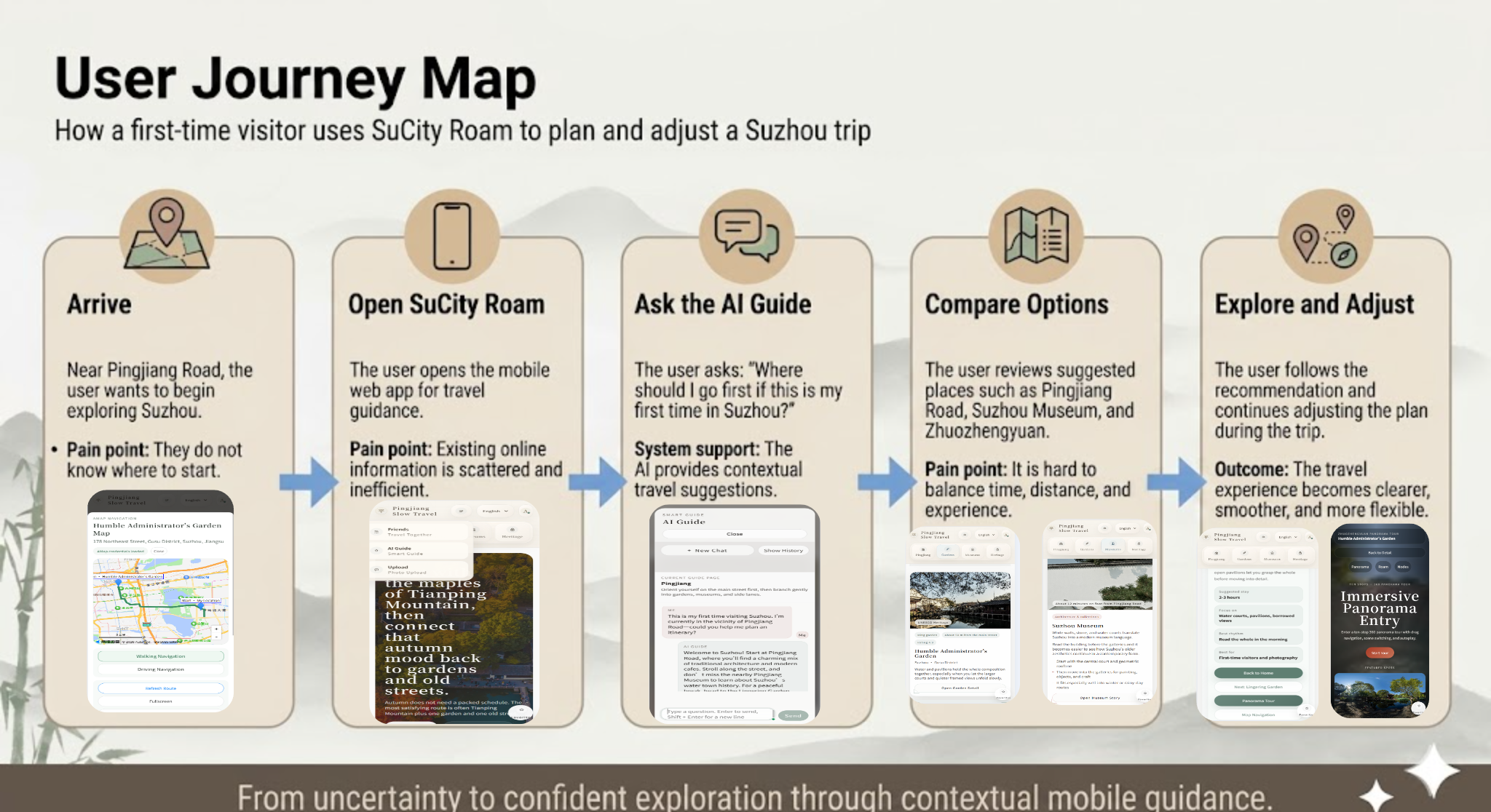
User Journey Map

From Uncertainty to Confident Exploration

User Journey Map showing five stages: Arrive, Open SuCity-Roam, Ask the AI Guide, Compare Options, and Explore and Adjust.

Poster-based journey map showing how a first-time visitor uses SuCity Roam to plan and adjust a Suzhou trip.

Requirements List

3 Playful Core Features

Context-Aware AI Guide

Users can ask the AI what to visit first, how to move more smoothly, and what cultural stories are behind each place, turning sightseeing into an interactive conversation.

Panoramic Roaming Exploration

Users can preview gardens and landmarks through panoramic roaming, making exploration more playful and helping them find famous spots on site.

Social Co-Travel with Live Sharing

Users can travel with friends by sharing locations, coordinating movement, and uploading photos, transforming the trip into a collaborative and memorable social experience.

Requirement Alignment

Mapping Requirements to Design, Prototype, and Evaluation

The table below makes the design logic explicit by connecting each user requirement with a design goal, prototype feature, research evidence, and Alpha testing evidence.

R1 / R2 / R3 Mapping

How Requirements Shaped the Final Prototype

Requirement Design Goal Prototype / Iteration Feature Research Evidence Evaluation / Iteration Evidence
R1: Faster cultural destination discovery Help users decide where to go and understand cultural meaning quickly. Context-aware AI Guide and cultural attraction information pages. Paper 3 shows that LLM-based cultural navigation can support accurate interpretation, while the Palace Museum and AMap reviews reveal a gap between cultural content, route planning, and interactive sightseeing Q&A. User A missed the AI entry on mobile because key function buttons were too small. The iteration enlarged and emphasized AI and friend function entries to improve discoverability.
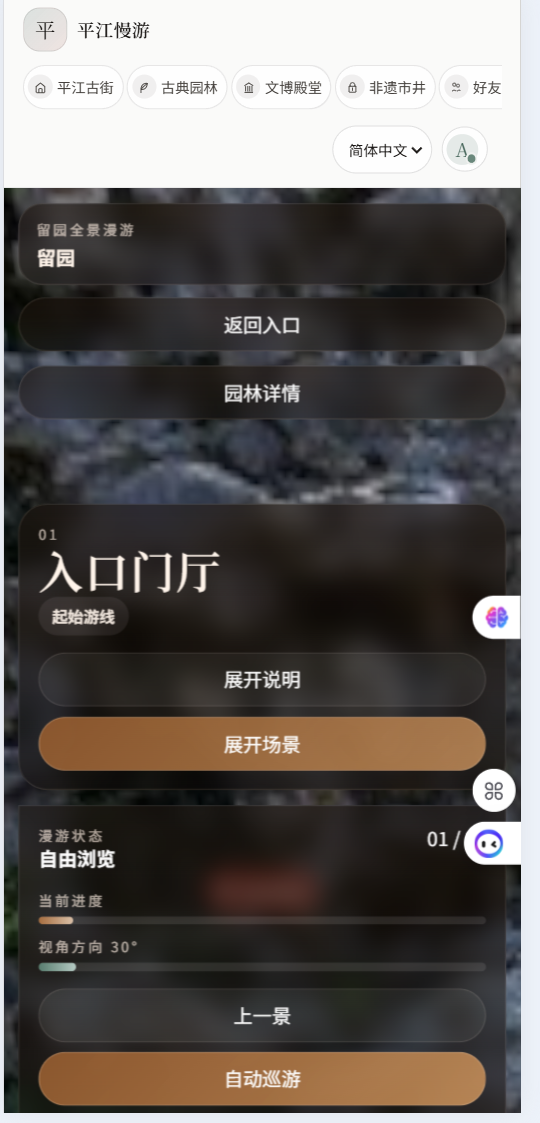
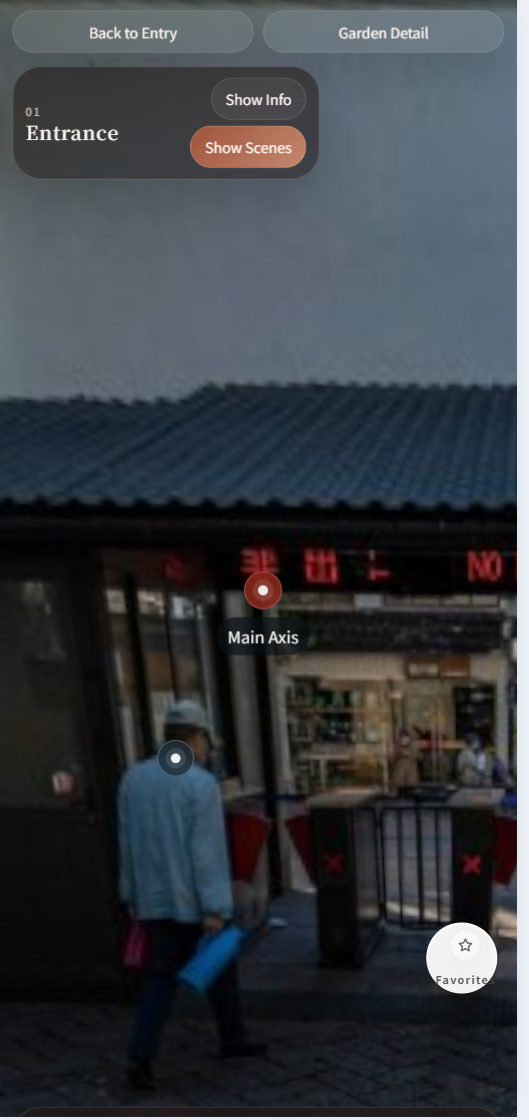
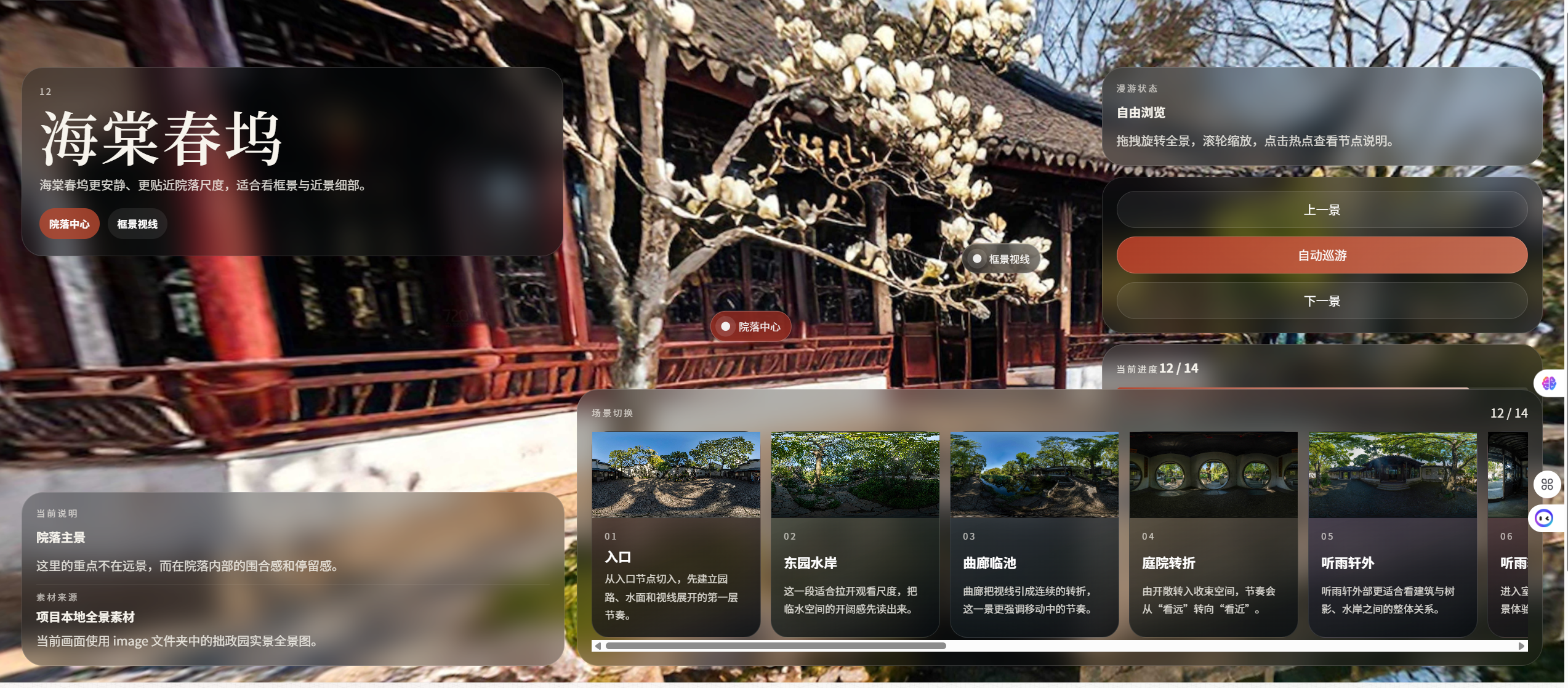
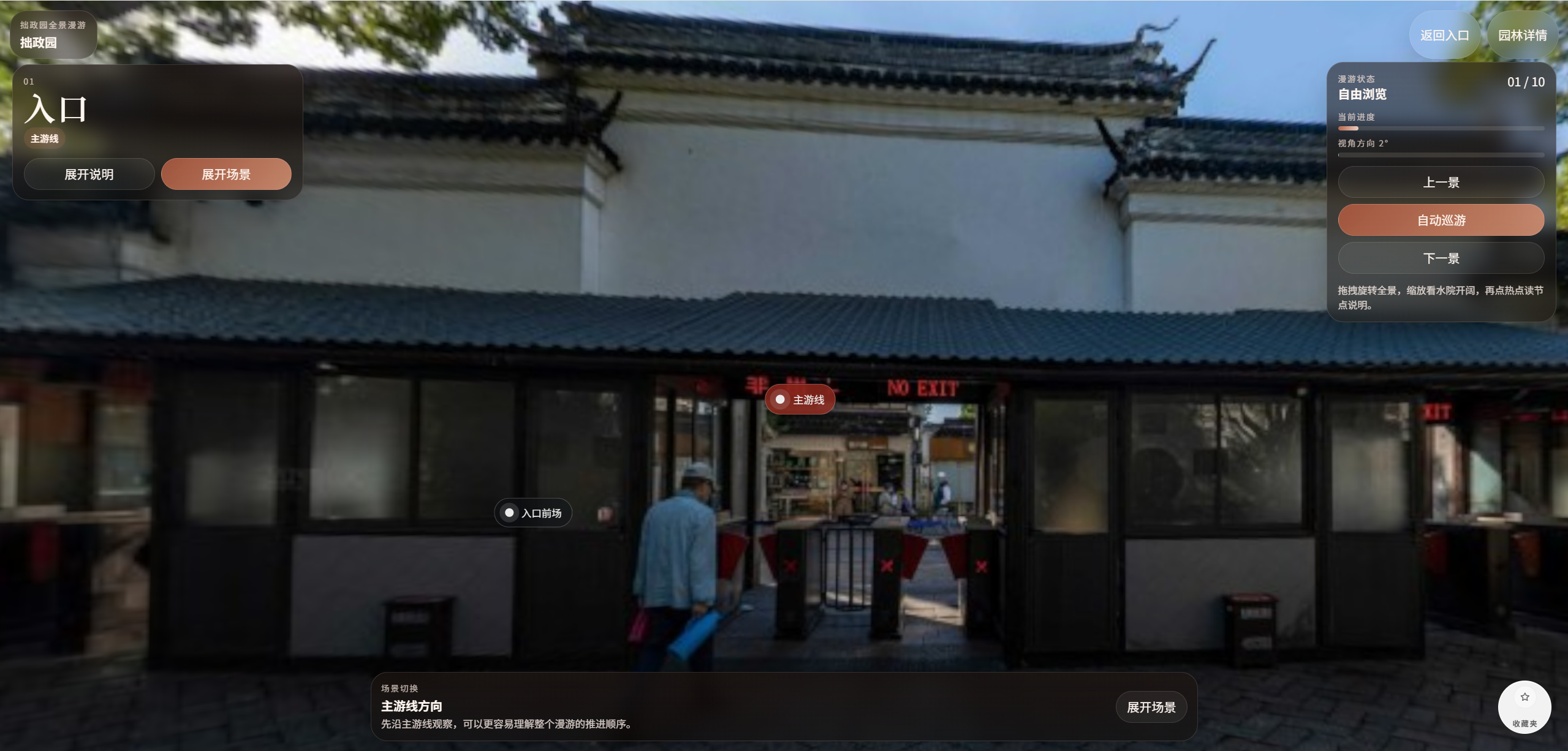
R2: Better spatial understanding before visiting Help users preview scenic areas and plan routes with more confidence. Panoramic roaming, route guidance, and destination preview support. Google Arts & Culture demonstrates the value of panoramic and 3D heritage viewing, but the product review shows that immersive preview is rarely connected back to real-world route planning and on-site visits. User B found that unnecessary interface elements blocked the real-view panorama. The iteration reduced visual clutter so the scenic view stayed central during roaming.
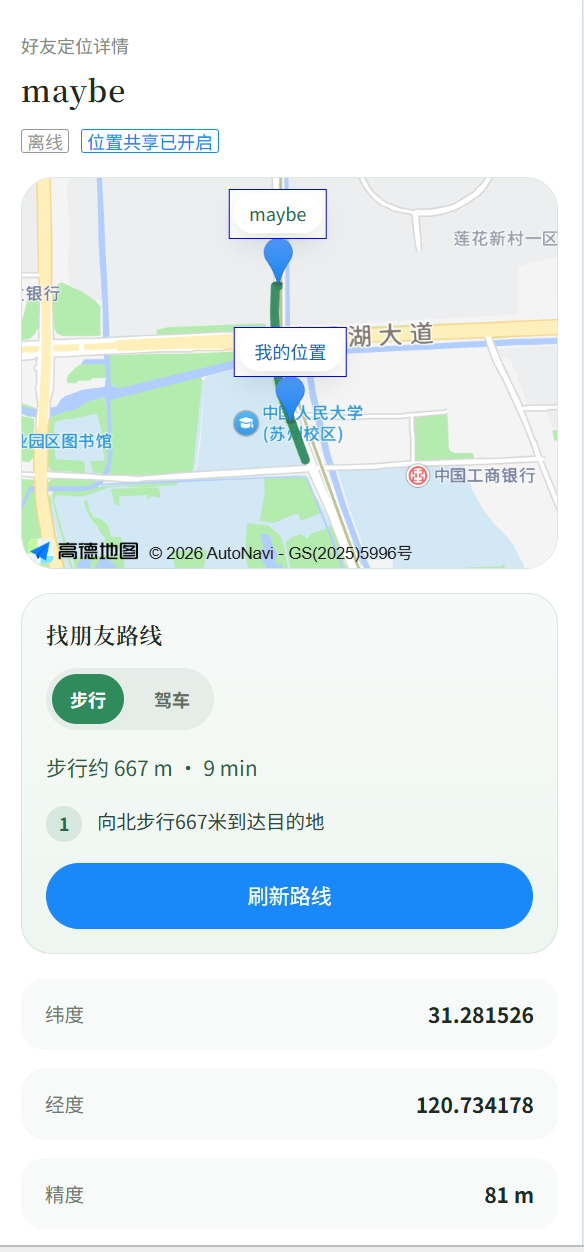
R3: Social coordination during group travel Help friends communicate first, then reconnect safely when group travelers separate during a visit. Alpha prototype: friends and group chat. After Alpha testing: optional location sharing and navigate-to-friend support were added as an iteration. Paper 1 highlights that Gen Z outdoor experiences need stronger social interaction, while the AMap and Palace Museum reviews show that group location support and cultural tourism content are usually separated. User C found that group chat supported communication but did not help users locate friends. The iteration added optional location sharing and navigate-to-friend support.

Evidence of Life

Photos or Short Video Records from Field Research

The requirement asks for 5 pieces of evidence. These tiles are ready for your materials.

Evidence 1
Evidence 2
Evidence 3
Evidence 4
Evidence 5

03 / Required Section

Ideation & Alternatives

Show the divergent thinking process, compare options, and point to your low-fidelity prototype.

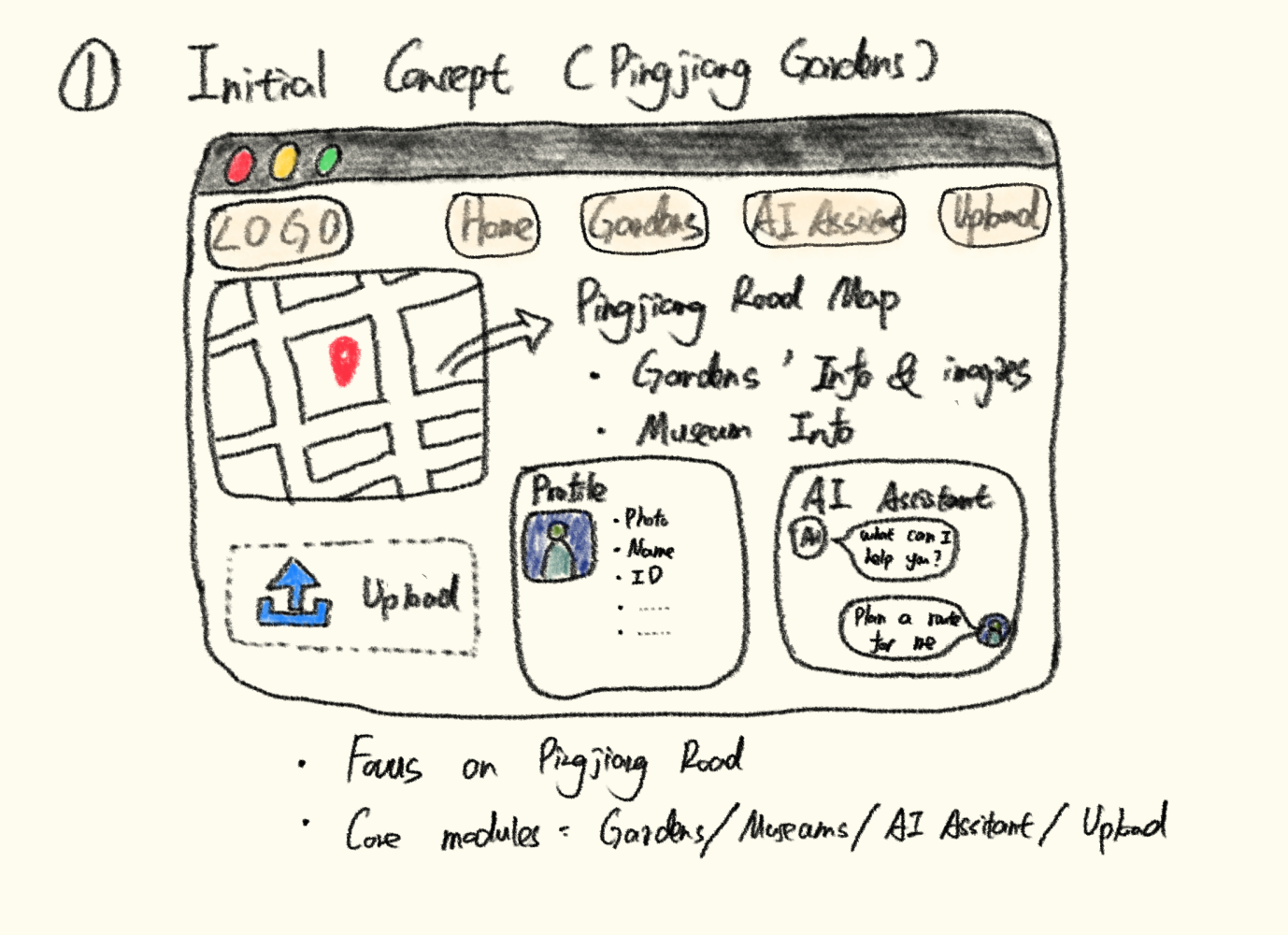
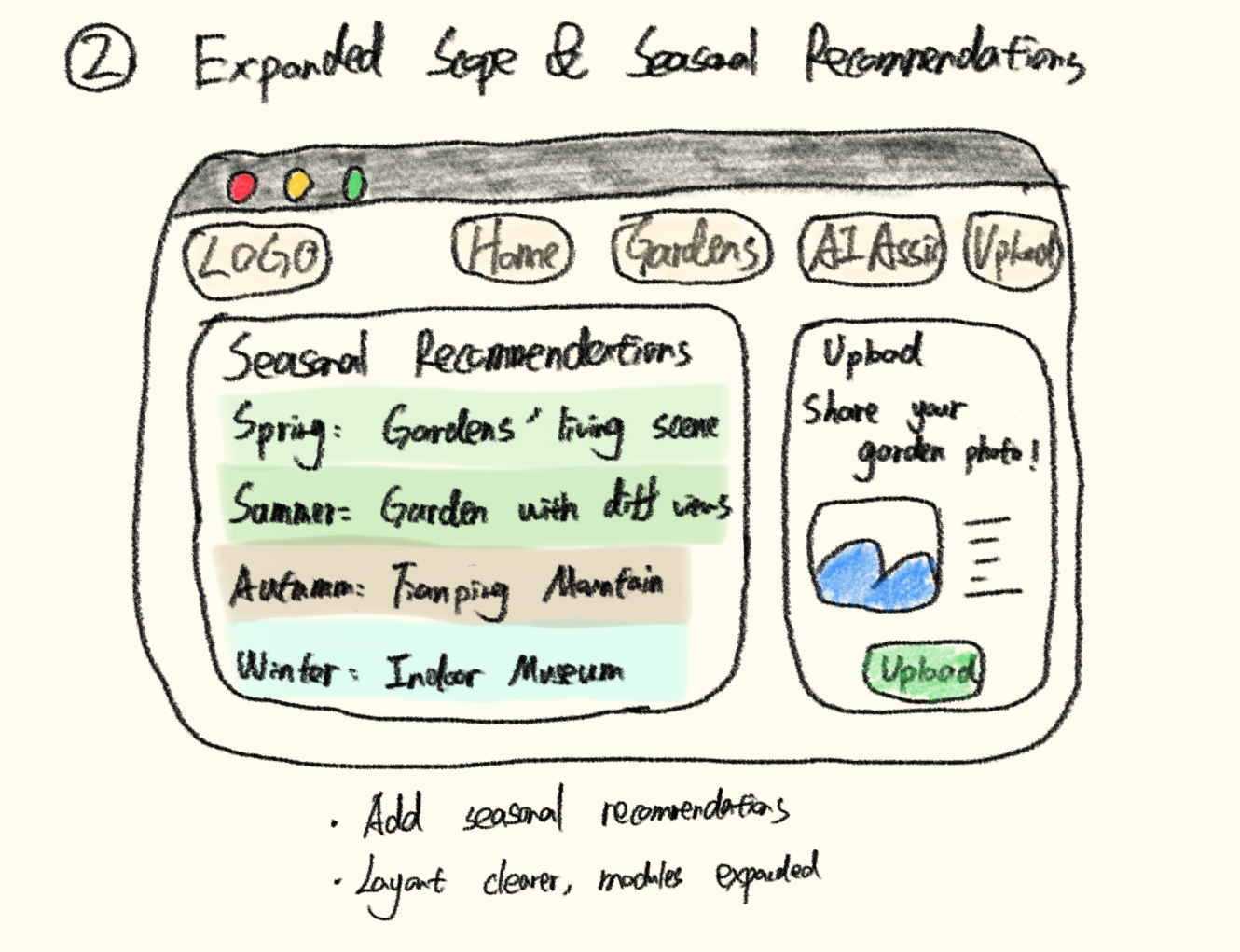
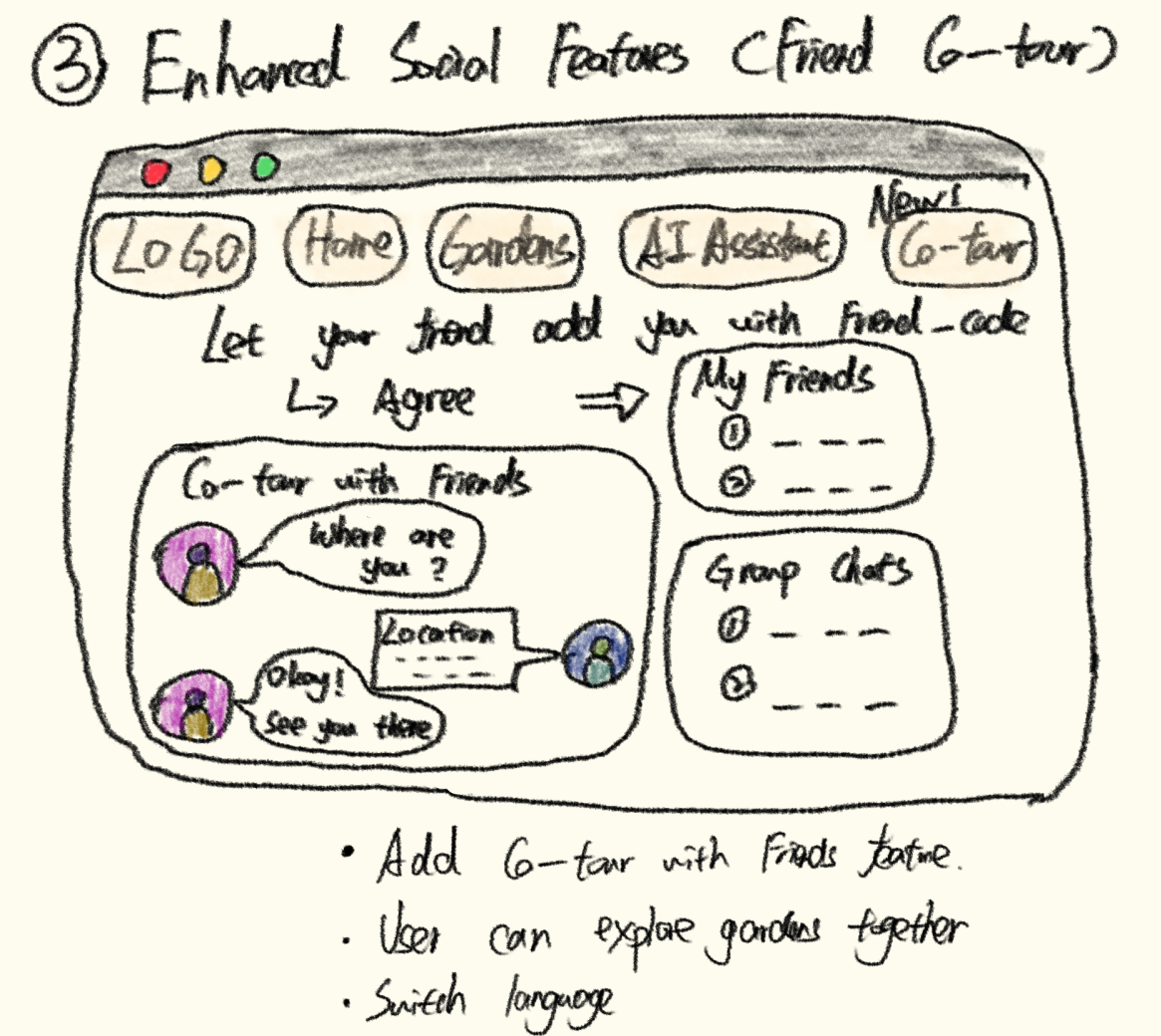
Crazy Eights

Eight Rapid Interface Sketches

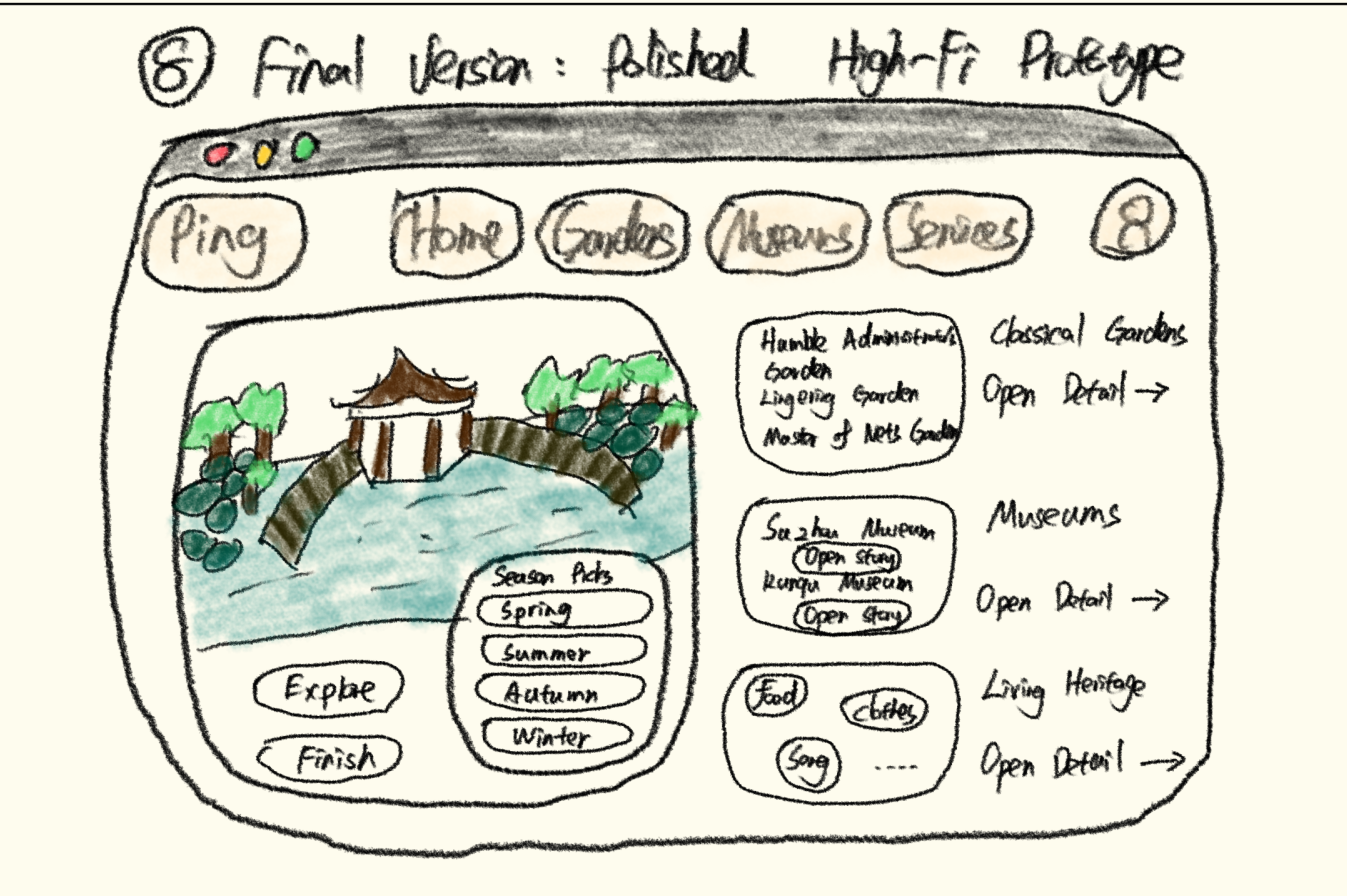
Add the hand-drawn interface photos here to show early exploration.

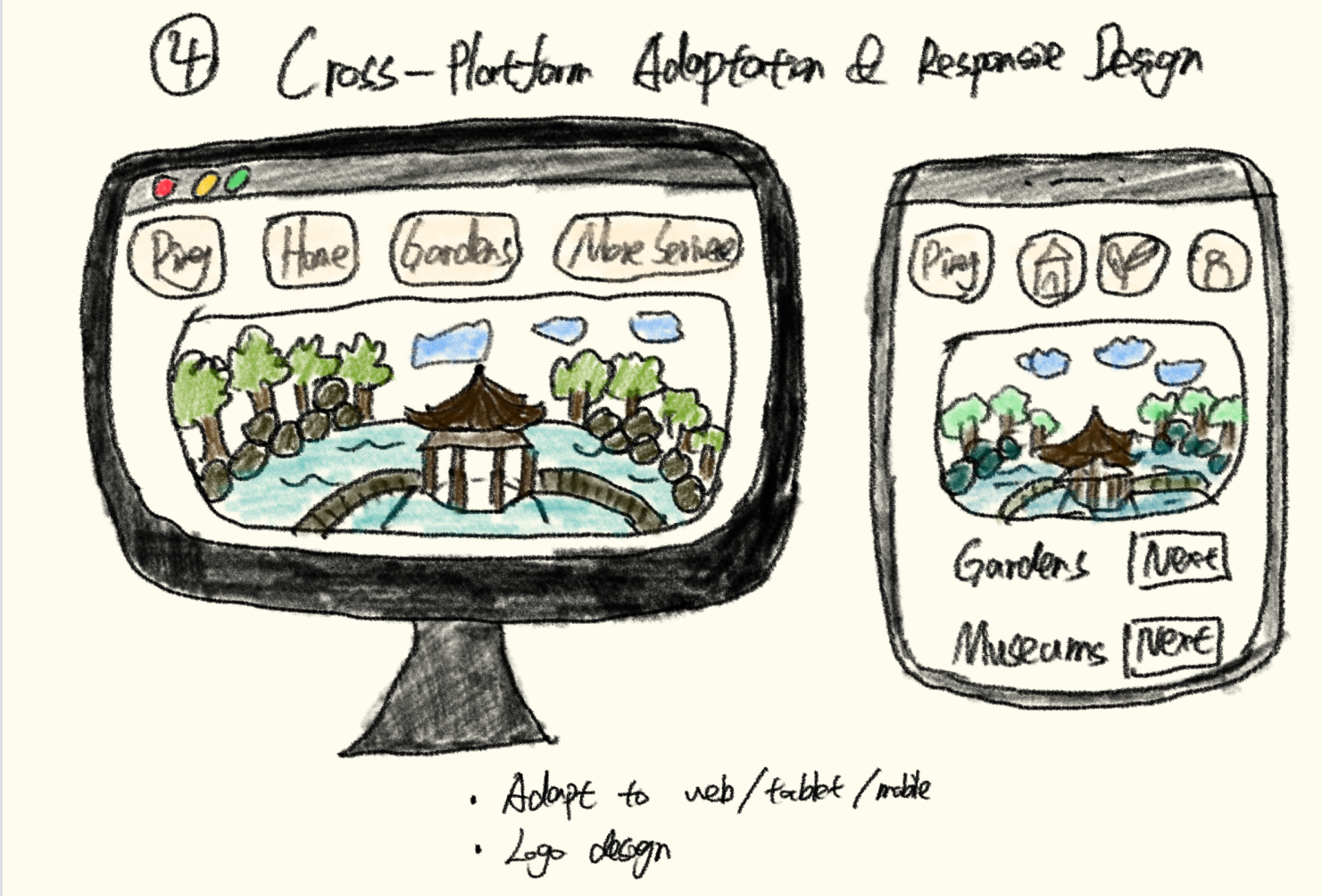
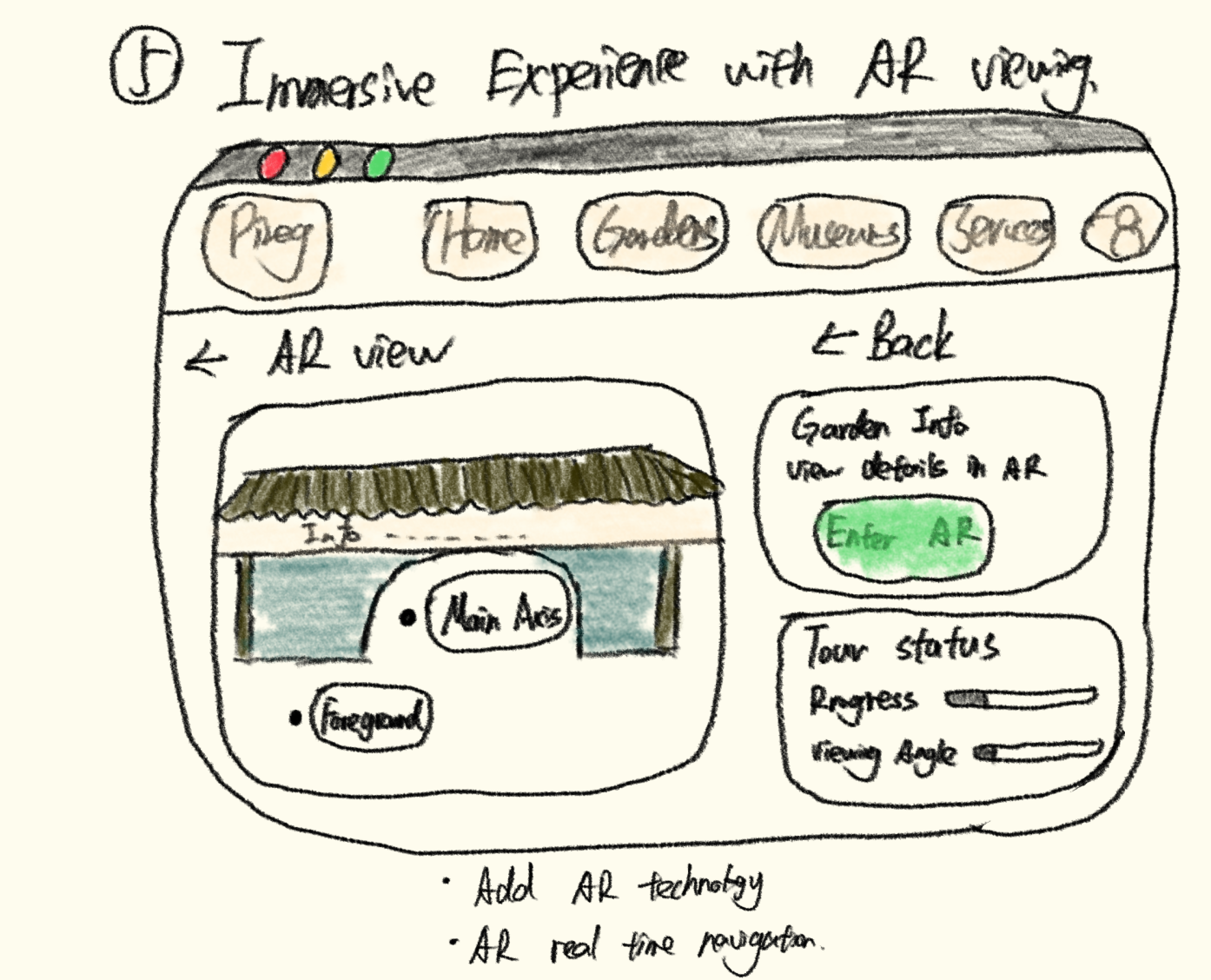
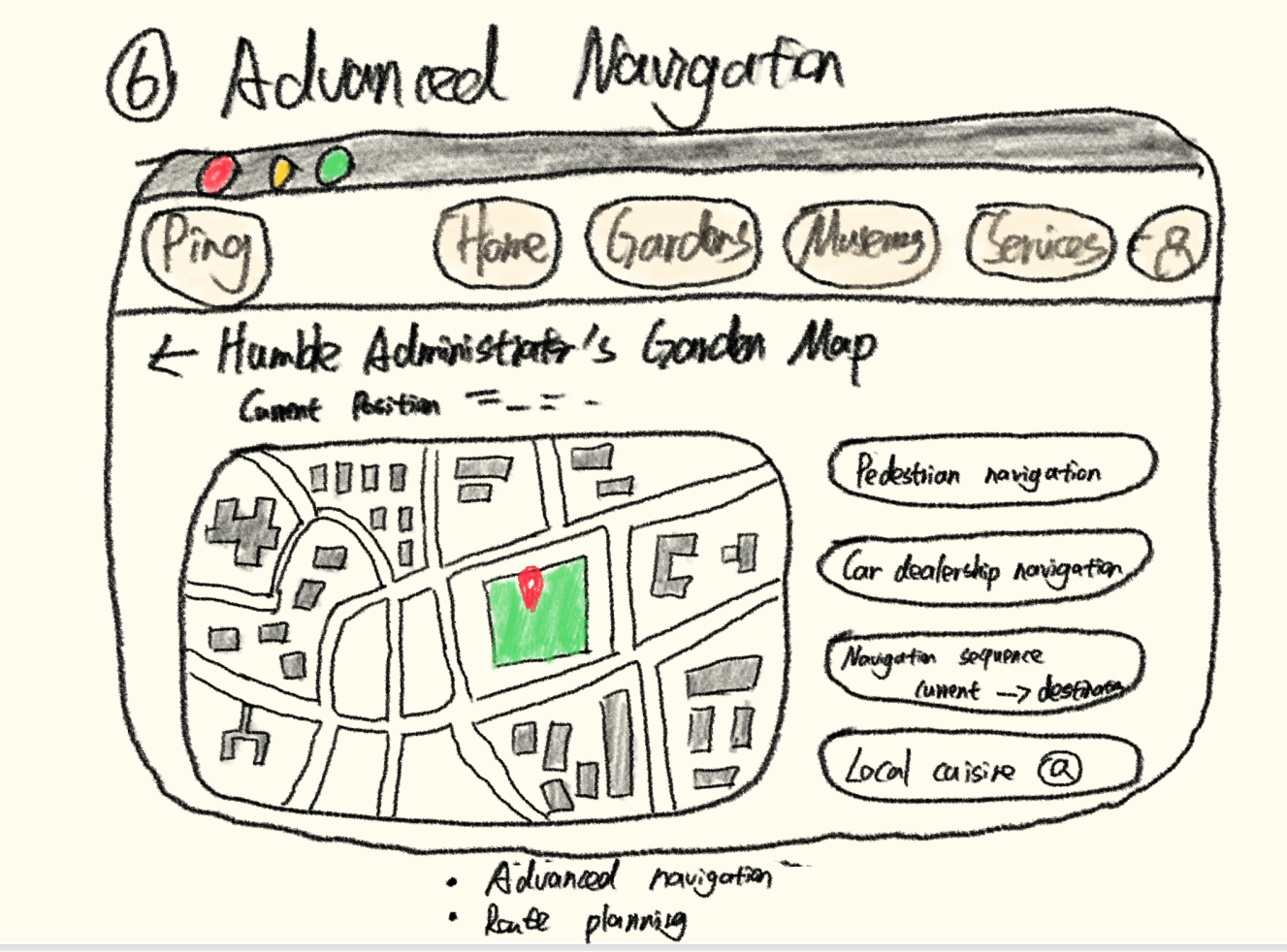
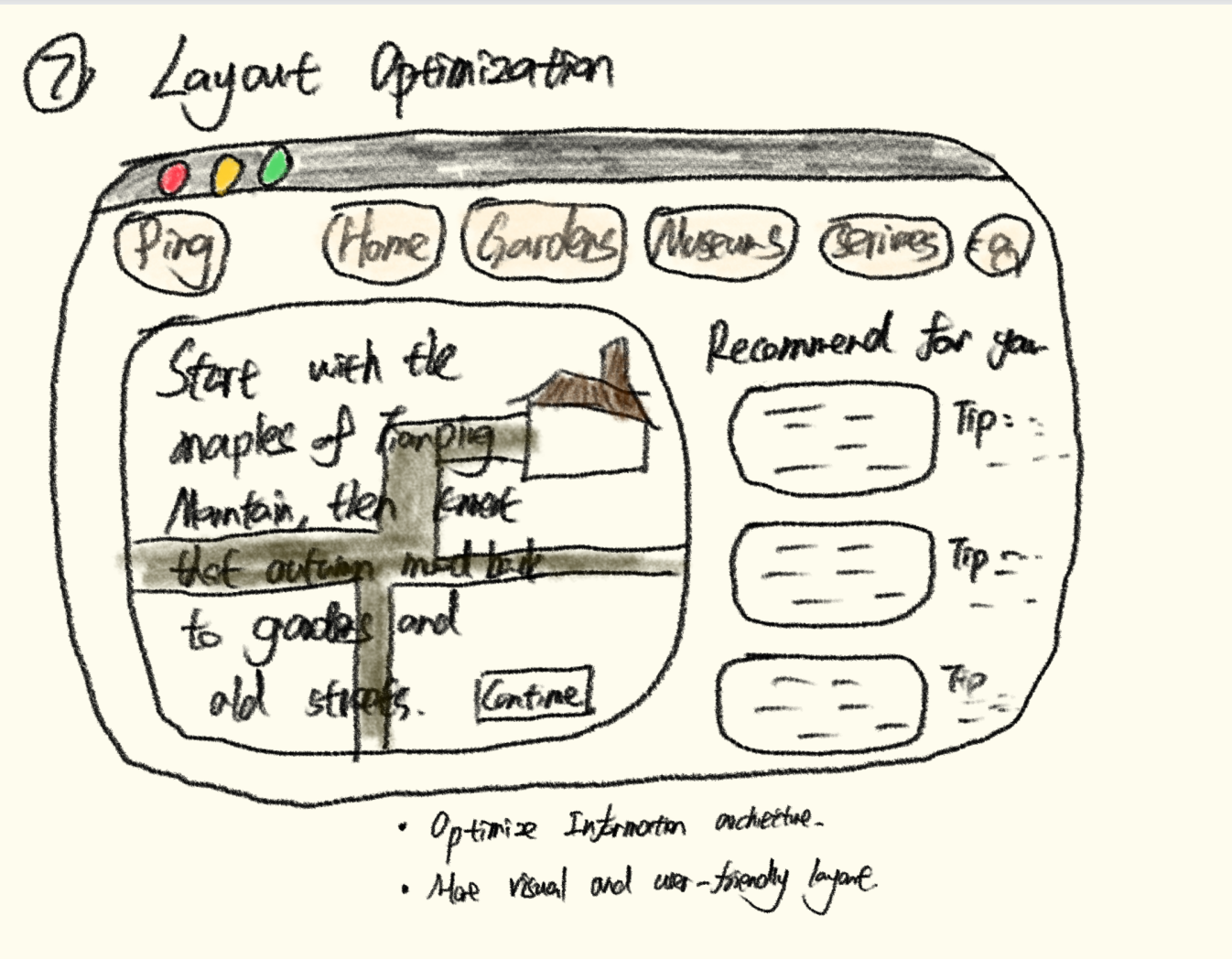
Hand-drawn interface sketch 1 for SuCity-Roam.
Sketch 1
Hand-drawn interface sketch 2 for SuCity-Roam.
Sketch 2
Hand-drawn interface sketch 3 for SuCity-Roam.
Sketch 3
Hand-drawn interface sketch 4 for SuCity-Roam.
Sketch 4
Hand-drawn interface sketch 5 for SuCity-Roam.
Sketch 5
Hand-drawn interface sketch 6 for SuCity-Roam.
Sketch 6
Hand-drawn interface sketch 7 for SuCity-Roam.
Sketch 7
Hand-drawn interface sketch 8 for SuCity-Roam.
Sketch 8

Design Alternatives

Compare 2 to 3 Possible Solution Directions

Alternative A

To be added after the design alternatives are finalized.

Alternative B

To be added after the design alternatives are finalized.

Alternative C

To be added after the design alternatives are finalized.

Low-Fi Prototype

Clickable Figma Link

Figma prototype link goes here

The low-fi prototype should show the shift from static sightseeing pages to AI-supported, context-aware cultural exploration.

04 / Required Section

Technical Implementation

Explain how the system works, where the final prototype lives, and how work was distributed across the team.

System Architecture

How Data and Features Connect

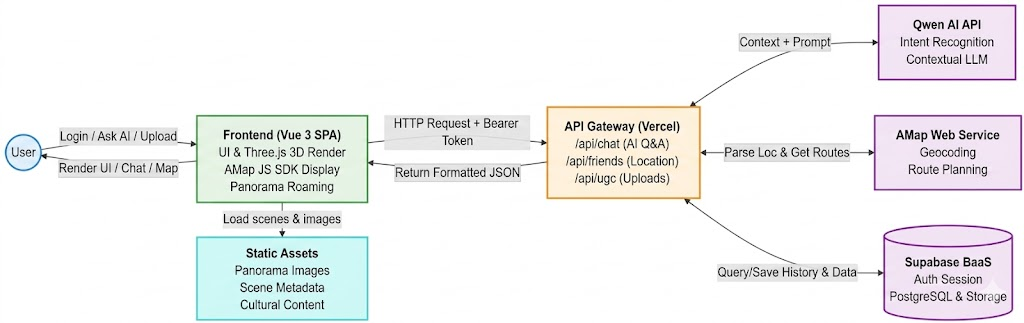
System architecture diagram showing the Vue 3 frontend, Vercel API gateway, Qwen AI API, AMap Web Service, Supabase, and static assets.

The current poster suggests an architecture spanning cultural content, AI guidance, panoramic exploration, route planning, and social travel coordination.

High-Fi Prototype

Runnable Web App Link

Current Integrated Direction

The current concept integrates panoramic touring, optimized interface transitions, multilingual AI guidance, route assistance, and friend location-sharing into one travel platform.

Individual Contributions

Contribution Table for All 4 Members

Names are filled in. Specific responsibilities can be added when your final work split is confirmed.

Name Main Responsibility Deliverables Evidence
Jinyu Cai AI guide feature development, AMap API integration for friend location sharing, garden navigation support, personal profile account editing, and early portfolio research organization. AI guide module for the project website; AMap-based location sharing support for the friend system; garden page route navigation feature; personal profile support for changing user ID and password; early user requirement research; questionnaire release and response collection; project development timeline; iterative process documentation; Design Alternatives section. AI guide interface, AMap location-sharing and garden navigation pages, personal profile account-editing page, questionnaire records, early requirement research materials, project timeline, Iterative Refinement section, and Design Alternatives section.
Chao Sheng Image upload, favorites, and password reset feature development for the project website, plus motivation, system architecture, and final reflection work for the portfolio. Image upload function; favorites/collection function; password reset function; 200-word project motivation statement; system architecture diagram and explanation; final social, ethical, and AI-use reflection. Upload image feature, Favorites page/function, password reset page/function, Motivation & Research section, System Architecture section, and Final Reflection section.
Mingze Sun Project UI design, early ideation sketching, static website content writing, and portfolio image asset preparation. Overall UI design for the project website; all early hand-drawn UI sketches; static text content used in the project website; image collection, selection, and placement support for the portfolio website. Crazy Eights sketch photos, Design Alternatives section, project website interface pages, static content sections, and portfolio image materials.
Zihao Gong User requirements, login and registration feature development, friend system development, virtual real-scene design, portfolio framework setup, research collection, and Alpha testing organization. User requirements section, journey map and R1/R2/R3 requirement mapping; login and registration function; friend and group travel feature support; virtual scene design for immersive scenic views; base portfolio webpage structure and code; collected academic research and commercial product examples; organized Alpha test findings and before-after improvement screenshots. User Requirements section, User Journey Map, R1/R2/R3 mapping table, login and registration pages/functions, friend system prototype, panoramic/virtual scene pages, portfolio HTML structure, Research and Commercial Product Review section, Alpha usability testing table, and iteration screenshots.

05 / Required Section

Evaluation & Reflection

Document the Alpha usability test, participant fit, testing data, iteration evidence, design implications, final reflection, and AI use compliance.

Usability Testing

Alpha Usability Testing With Three Real Users

In this portfolio, Alpha testing means giving the early prototype to real target users, recording where they struggled, and using the feedback to improve the design.

Test Setup

Procedure, Tasks, and Recorded Data

Each participant used the Alpha prototype independently while one team member observed and took notes. The session focused on whether users could understand the product purpose, complete core travel tasks, and identify parts of the interface that felt confusing or useful. We recorded participant type, device context, task time, completion status, key friction, user comments, and improvement suggestions.

  • Task 1: Find a cultural destination and understand its background information.
  • Task 2: Use route or navigation support to plan a short visit.
  • Task 3: Open an interactive feature such as panorama, AI guidance, friend location, or UGC.
  • Task 4: Give feedback on the most useful feature, the most confusing step, and one improvement suggestion.

Testing Data and Target Fit

Three Real Users Matched to the Target Audience

The participants were selected because they matched the intended users: young students or visitors who may use a mobile cultural tourism platform while planning or exploring Suzhou. Their age range, travel identity, familiarity with Suzhou, and task scenario were recorded to show that the Alpha test involved appropriate target-user demographics.

Participant Demographic Fit Suzhou Familiarity Device / Context Recorded Data Key Issue Found
User A Young student visitor; holiday traveler planning a short cultural route. Limited familiarity with Suzhou attractions, so he needed quick guidance. Mobile browser, first-time login to the Alpha prototype. About 2 minutes; partial completion. Core AI and friend feature buttons were too small and not discoverable.
User B Young visitor interested in previewing scenic spaces before deciding where to go. Had basic awareness of Suzhou gardens, but needed a clearer visual preview. Panorama page browsing and roaming interaction task. About 1 minute; completed 2 / 3 core tasks. Unnecessary interface elements covered the real-view panorama and weakened the viewing experience.
User C Young group traveler; tested the social travel scenario with friends. Familiar enough to imagine group travel in Suzhou, but still needed help reconnecting inside scenic areas. Friend system and group communication task scenario. About 2 minutes; completed 2 / 3 core tasks. Group chat helped communication but did not show where friends were.

Observation Notes

Detailed Feedback Behind the Test Data

These notes explain what happened during the test and why each issue mattered for the next design iteration.

Observation 1

Mobile Feature Discoverability

User A opened the Alpha prototype on a mobile browser, but the function buttons for AI guidance and friends were visually small and easy to overlook.

  • Observed behavior: he did not discover the AI assistant at first and continued to rely on written recommendations to plan the route.
  • User feedback: core feature entries should be easier to notice on a phone screen.
  • Design implication: the mobile navigation hierarchy needed larger, clearer, and more visually prioritized function buttons.

Observation 2

Panorama Page Visual Clutter

User B tested the panoramic roaming page. During roaming, the page contained too many unnecessary interface elements, which covered part of the real-view scene.

  • Observed behavior: the user had to look around the interface elements instead of focusing naturally on the scenic panorama.
  • User feedback: the panorama page should keep only necessary controls and leave more space for the real scene.
  • Design implication: the panorama interface needed a cleaner layout with reduced overlays and less visual obstruction.

Observation 3

Group Travel Coordination Gap

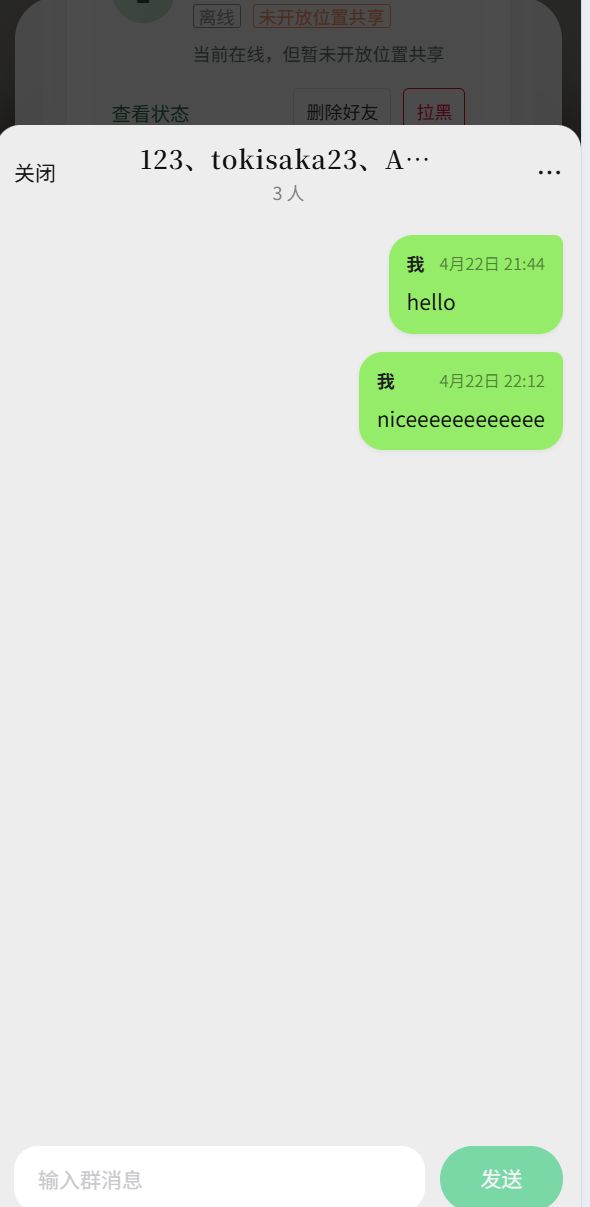
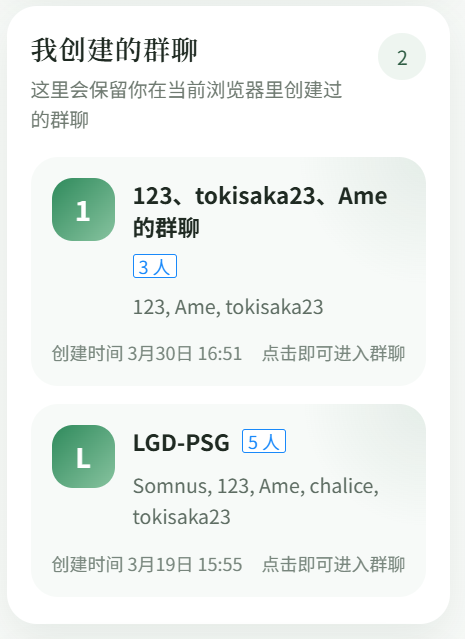
User C tested the friend system from the perspective of travelling with friends. The chat function supported communication, but it did not solve the problem of finding friends after separating.

  • Observed behavior: group chat was useful, but the user still needed to know where friends were in the scenic area.
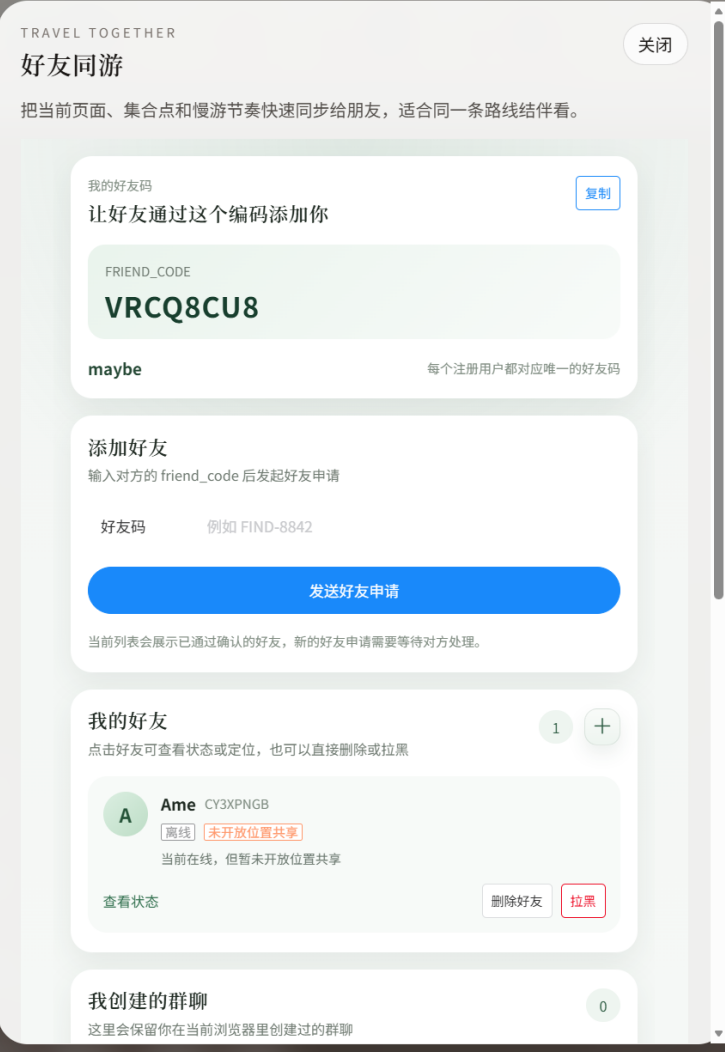
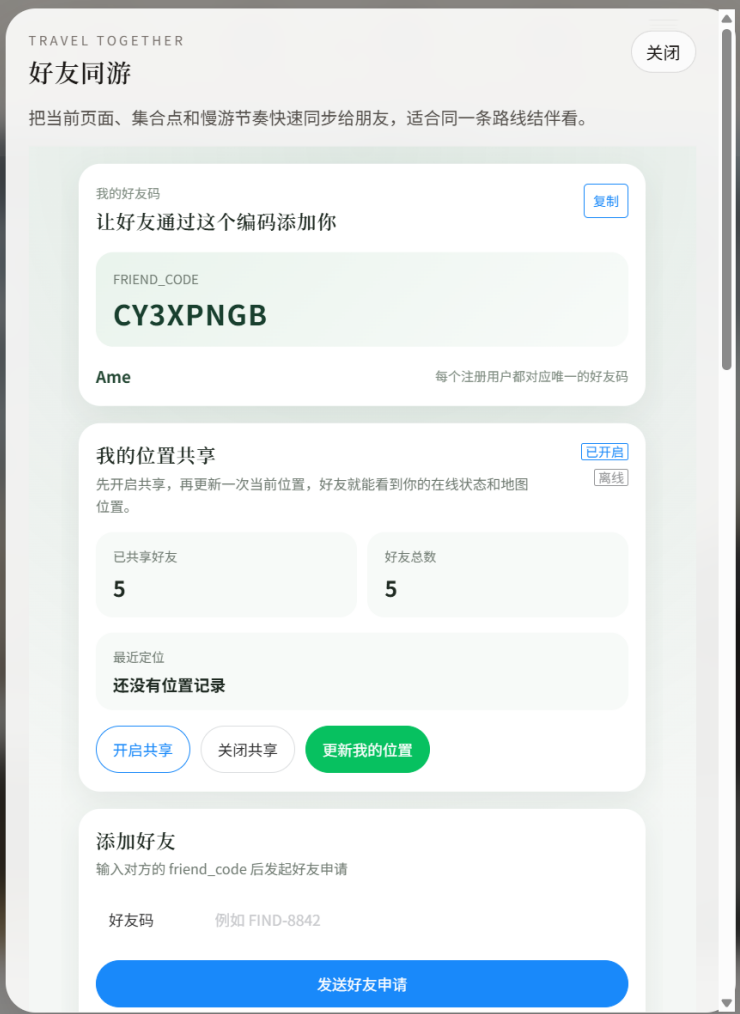
  • User feedback: location sharing and direct navigation to a friend would make group travel smoother.
  • Design implication: the social feature needed optional location sharing and navigate-to-friend support.

Evaluation Results

What the Test Revealed

  • On mobile, important feature buttons were too small and not discoverable enough, so users could miss the AI assistant and continue using only text recommendations.
  • The panorama page supported scenic preview, but unnecessary interface elements blocked the real-view scene and reduced immersion.
  • Group chat supported communication, but group travelers also needed location sharing and navigation to reconnect in physical space.

Design Implications

How the Results Affected the Next Design

  • Improve the mobile navigation hierarchy by enlarging the AI and friend function buttons and making core feature entries easier to recognize.
  • Simplify the panoramic roaming page by reducing unnecessary overlays and keeping the real-view scene as the visual focus.
  • Connect the friend system with optional, temporary location sharing and map-based navigation while keeping user control clear.

Before and After

Interface Changes Based on Alpha Feedback

This comparison makes the iterative refinement visible by showing what changed after the Alpha usability test.

Iterative Refinement

Before and After Interface Comparison

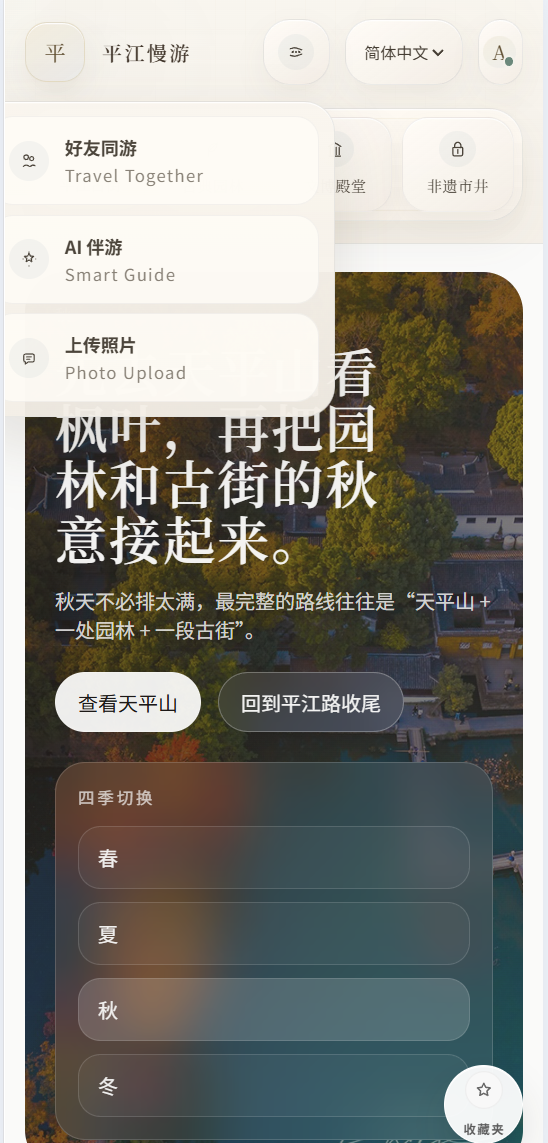
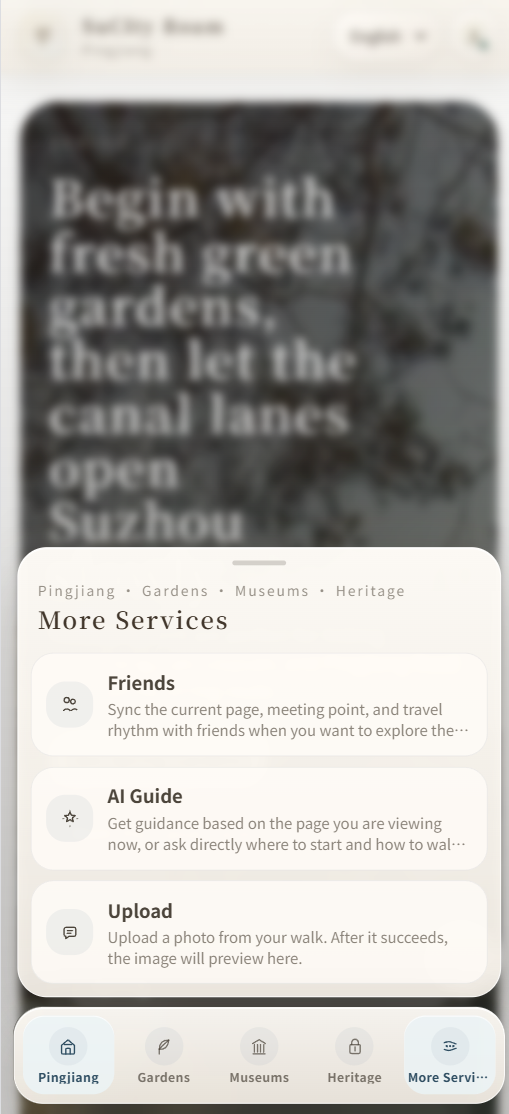
The screenshots above show how Alpha feedback was translated into concrete interface changes for mobile feature discovery, panorama readability, and friend reconnection.

  • Mobile discoverability: enlarged and emphasized the AI and friend function entries so first-time users can find core tools faster.
  • Panorama readability: reduced unnecessary overlays so the real-view scene stays central during roaming.
  • Group coordination: connected the friend system with optional location sharing and navigate-to-friend support.

Final Reflection

Social and Ethical Impact

This project has both positive and negative social and ethical implications. From a social perspective, it makes Suzhou's cultural heritage more accessible and approachable to the public. Through route guidance, panoramic roaming, user-generated uploads, and community sharing, the platform encourages users to move beyond superficial check-in tourism toward more active exploration and cultural participation. As a result, public awareness of local heritage can be raised, and a new digital way is provided to preserve and communicate cultural memory.

Meanwhile, the design also raises several concerns. This project includes login, uploads, favorites, friends, and location-sharing features, so privacy and data security are important issues. Users should clearly understand how their data is used and who can access it. In addition, user-generated content should be moderated to avoid low-quality, inaccurate, misleading, or culturally insensitive content. Therefore, the platform should consider content moderation and community guidelines to reduce these risks.

As for the use of AI, AI mainly contributed to our frontend design process. It helped us generate layout ideas, interface text, module organization, and some interaction concepts, which accelerated frontend prototyping and interface integration. However, the final design decisions and feature adjustments were still made by the project team, so AI mainly acted as a support tool for frontend design. The detailed prompts, validation checks, and ethical considerations behind this use are documented in the Required AI Use Disclosure below.

Technical Reflection

Required AI Use Disclosure

This section expands on the AI use summarized in the final reflection: AI supported frontend design, wording, module organization, and interaction planning, while the team remained responsible for final decisions and evidence.

Current AI Use Note

Existing Disclosure

ChatGPT was used as a support tool during the portfolio and frontend design process. It helped generate layout ideas, interface text, module organization, and interaction concepts. These outputs were treated as draft material and were revised by the team before being included in the final website.

Prompt Record

Main Prompts Used for Core Components

  • Help generate a clear frontend portfolio layout based on the CPT208 required sections and our project materials.
  • Help organize the website modules so motivation, research, requirements, ideation, implementation, evaluation, and reflection appear in a logical order.
  • Help polish interface text and section wording while keeping the team's real project evidence unchanged.
  • Help suggest interaction and presentation ideas for tables, requirement mapping, contribution records, and evidence screenshots.
  • Help refine the R1/R2/R3 mapping so design goals, prototype features, research evidence, and Alpha testing evidence are easier to compare.
  • Help adjust the HTML/CSS layout for before-after screenshots so the iteration evidence is readable on the webpage.

Validation

How the Team Checked AI Output

  • The team compared AI-assisted layout and module suggestions with the coursework checklist to ensure required sections were present.
  • Generated interface text was revised to match the actual SuCity-Roam process rather than generic tourism wording.
  • R1/R2/R3, Alpha testing findings, and iteration decisions were manually checked against the final prototype features.
  • Image paths, local assets, screenshots, and page structure were checked after frontend edits so the evidence loaded correctly.

Ethical Considerations

Bias, Accessibility, and Responsible Use

  • AI output was treated as draft frontend support, not as final evidence. The team avoided inventing user data and kept feedback anonymous.
  • Because AI can produce generic or biased descriptions, the team revised wording to reflect Suzhou cultural tourism and the actual prototype features.
  • Accessibility was considered during frontend organization by using readable headings, visible links, and descriptive alt text for images.
  • Final layout decisions, feature priorities, and evaluation interpretations were made by the project team rather than delegated to AI.

Vibe Coding Reflection

What Worked and What Did Not

  • What worked: AI helped generate layout ideas, polish interface text, organize modules, and speed up frontend prototyping.
  • What did not work: some AI drafts were too general, missed project-specific evidence, or needed correction when the real testing process changed.
  • Team response: the team reviewed each AI-assisted section, replaced placeholders with real evidence, and made the final design and feature adjustments ourselves.

References

Sources and Mandatory AI Citation

Keep your paper references, product links, image sources, and AI citation together in one list.

  1. Yun, H. (2023). Combining Cultural Heritage and Gaming Experiences: Enhancing Location-Based Games for Generation Z. Sustainability, 15(18), 13777. Local PDF | DOI
  2. Camunas-Garcia, D., Caceres-Reche, M. P., Cambil-Hernandez, M. d. l. E., and Lorenzo-Martin, M. E. (2024). Digital Game-Based Heritage Education: Analyzing the Potential of Heritage-Based Video Games. Education Sciences, 14(4), 396. Local PDF | DOI
  3. Guo, H., Liu, Z., Tang, C., and Zhang, X. (2025). An Interactive Framework for Personalized Navigation Based on Metacosmic Cultural Tourism and Large Model Fine-Tuning. IEEE Access, 13. Local PDF | DOI
  4. Xu, H., Cheung, L. T. O., Lovett, J., Duan, X., Pei, Q., and Liang, D. (2023). Understanding the influence of user-generated content on tourist loyalty behavior in a cultural World Heritage Site. Tourism Recreation Research, 48(2), 173-187. Local PDF | DOI
  5. The Palace Museum. (n.d.). Official website and digital visitor resources. Accessed April 21, 2026. Website
  6. AMap. (n.d.). Official map and group navigation platform. Accessed April 21, 2026. Website
  7. Xiaohongshu. (n.d.). Official social platform website. Accessed April 21, 2026. Website
  8. Google Arts and Culture. (n.d.). Official digital heritage platform. Accessed April 21, 2026. Website
  9. OpenAI. (2026). ChatGPT [Large language model]. Official page

Repository reminder: keep your main prompt records in the ai-logs folder.